SD Maid Pro - System Cleaning Tool v3.0.1.5 Beta apk

SD Maid Pro - System Cleaning Tool v3.0.1.5 Beta

Requirements: Android 2.3.3+

Overview: SD maid will help you keep your device neat, clean and tidy :-)!
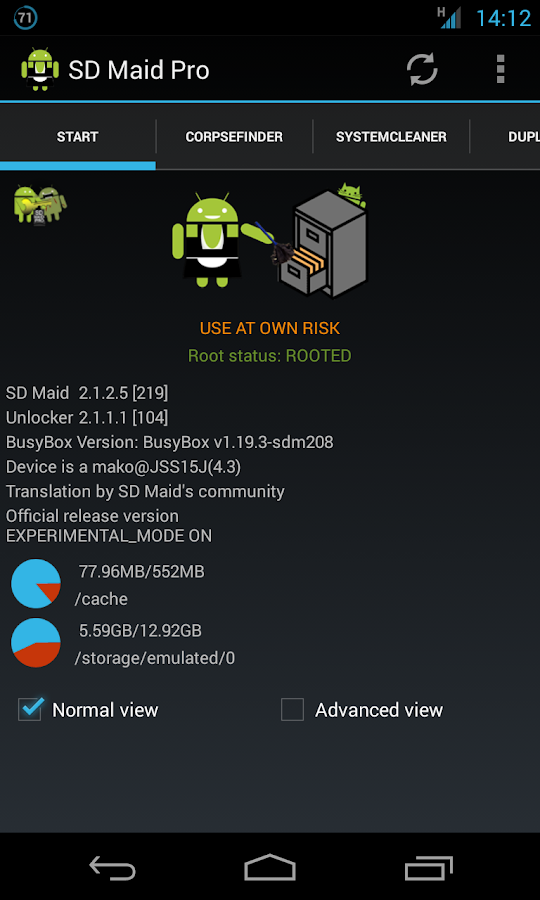
This is a powerful tool! Use at own risk!

Nobody is perfect and Android neither.

Apps you have already deleted, sometimes leave data behind.

The system constantly creates logs, crash reports and debug files you don't really need.

The market leaves temporary files of downloaded apps behind.

Lets not go on here...

Why not get a maid to clean it all up?

SD maid will help you keep your device neat, clean and tidy :-)!

Give it a try, you won't find a more thorough cleaning app!

Choose a tab, press check and then either click a single item to delete or press the clean all button. It's just that easy.

There are various features available:

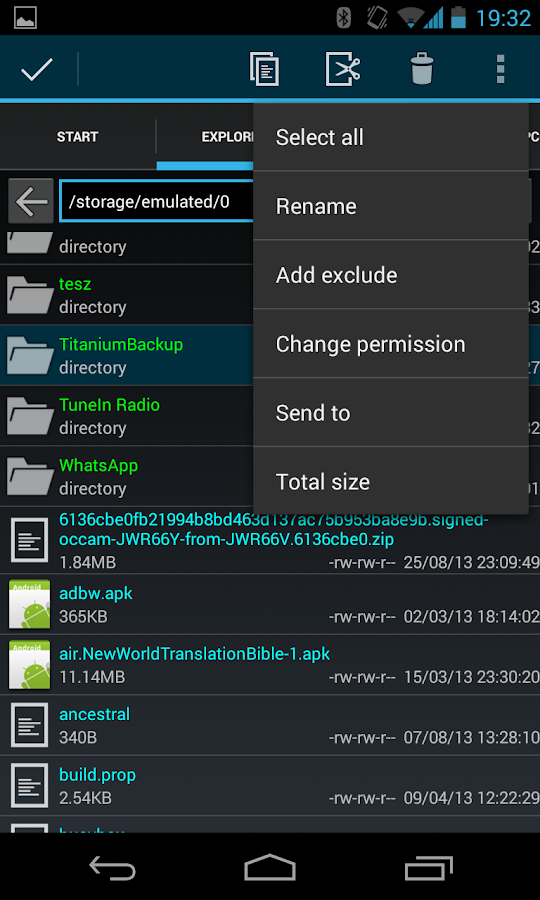
* Explorer is a full fledged filemanager, use it to crawl through your Androids files.

* You can use the Searcher if you know what file you are looking for.

* The CorpseFinder searches your device for dormant directories+files and compares those to the list of installed applications.

* AppControl lets you freeze,reset and remove applications (even system apps).

* The SystemCleaner scans your device and filters which directories contain unnecessary files. You an even create your own filters!

* You can optimize and shrink bloated databases to speed up access and free space.

* View your biggest files and find out what is hogging all the space.

* Find files that have been modified in the last X minutes.

And more...

10 features are currently available in the free version and an additional 2 can be unlocked by buying and installing the unlocker.

The Unlocker will also enable several convenience functions like picture previews.

SD Maid is constantly being developed and is designed very carefully.

Due to the vast amount of android devices it might not work perfectly on everyones device, but i'm working hard to get it there.

If you have questions or concerns send me a mail (support@thedarken.eu). I usually respond quite quick and will happily help you out.

What's New

@Common

- Updated languages

- Updated clutterDB

- Fixed possible crash when changing device configuration and using the mini browser in the settings

- Fixed a crash when finishing an operation and simultaneously SD Maid was opened or closed

- Fixed a crash when finishing or canceling a reading operation (crash report was from AppControl) by fixing synchronization

- Root check now times out after a total of 30sec, (15 sec per check)

- Prepared crash reporting for future release canidate

@Explorer

- Fixed size dialog not displaying when the size is 0

@AppControl

- Fixed a crash when trying to start an app that does not supply a valid launch intent

@Duplicates

- Completely rewritten engine; Harder, Better, Faster, Stronger

- Fixed collision issue (https://bitbucket.org/d4rken/sd-maid...ollision-issue)

Release info:

Unlocked Pro features in SD Maid!

This app has no advertisements

More Info:

Code:


https://play.google.com/store/apps/details?id=eu.thedarken.sdm


Download Instructions

http://www.kingfiles.net/9gtqtl157hm...id_3.0.1.5.zip

Mirror:

http://www.tusfiles.net/4ixd03v55dg9

http://ul.to/2xyfa0v5

http://unlimitzone.com/x0i4dpux8j2z/...0.1.5.zip.html


SD Maid Pro - System Cleaning Tool v3.0.1.5 Beta apk
Switchr Pro - App Switcher v2.9.9 Beta apk

Switchr Pro - App Switcher v2.9.9 Beta

Requirements: Android 2.1+

Overview: "Ready for another one of those apps that you never thought you wanted or needed, but will fall in love with once you get it?" - Phandroid

Introducing Switchr

"Ready for another one of those apps that you never thought you wanted or needed, but will fall in love with once you get it?" - Phandroid

Functionality

Switchr is a simple yet practical application that allows switching between apps with the swipe of a finger. It's a lot like Alt-Tab, and with two styles to choose from, Switchr allows for great customization and use of gestures to beautifully switch between apps. It even allows switching in real time while you're swiping!

"Sometimes change is good, and this change is just too pretty to pass up" - AndroidSpin

Switchr Pro Key

Switchr can be installed for free, in all its app switching glory. However, with the Pro Key installed, all settings are unlocked, leaving you with the freedom to customize every aspect of Switchr. Switchr Pro allows you to take advantage of all gestures, customize every visual aspect, configure blacklists/whitelists to your liking, show an unlimited amount of apps, and much much more.

Development

Follow the development on XDA: http://bit.ly/switchrxda

News & Media

"Switchr is a well designed and well polished app with a simple, yet practical function that allows users to access their running apps quickly and conveniently." - XDA Developers

"A lot of Android devices have dedicated buttons to bring up the multitasking list, but Switchr may offer an even faster way to jump between running apps" - Android Police

"Switchr does switching in a way that will seem more natural to you" - Phandroid

"This is a high-quality app from a developer with a proven track record, and I can warmly recommend it" - makeuseof

"Swipe between apps quickly and select the one you want, all without lifting your finger off the screen" - Lifehacker

"Switchr aims to make multitasking more efficient and effective" - AddictiveTips

"Switchr is a great idea and I look forward to seeing where it goes" - Android Dissected

What's new:

- added "Visual Indicator" option

- fixed bugs

This app has NO advertisements

More Info:

https://play.google.com/store/apps/d...d.adib.switchr

Download :

http://uploaded.net/file/ke6v9jia

http://www.tusfiles.net/hc8hjy5tyb1n


Switchr Pro - App Switcher v2.9.9 Beta apk

SD Maid Pro - System Cleaning Tool v3.0.1.4 Beta apk

SD Maid Pro - System Cleaning Tool v3.0.1.4 Beta

Requirements: Android 2.3.3+

Overview: SD maid will help you keep your device neat, clean and tidy :-)!

This is a powerful tool! Use at own risk!

Nobody is perfect and Android neither.

Apps you have already deleted, sometimes leave data behind.

The system constantly creates logs, crash reports and debug files you don't really need.

The market leaves temporary files of downloaded apps behind.

Lets not go on here...

Why not get a maid to clean it all up?

SD maid will help you keep your device neat, clean and tidy :-)!

Give it a try, you won't find a more thorough cleaning app!

Choose a tab, press check and then either click a single item to delete or press the clean all button. It's just that easy.

There are various features available:

* Explorer is a full fledged filemanager, use it to crawl through your Androids files.

* You can use the Searcher if you know what file you are looking for.

* The CorpseFinder searches your device for dormant directories+files and compares those to the list of installed applications.

* AppControl lets you freeze,reset and remove applications (even system apps).

* The SystemCleaner scans your device and filters which directories contain unnecessary files. You an even create your own filters!

* You can optimize and shrink bloated databases to speed up access and free space.

* View your biggest files and find out what is hogging all the space.

* Find files that have been modified in the last X minutes.

And more...

10 features are currently available in the free version and an additional 2 can be unlocked by buying and installing the unlocker.

The Unlocker will also enable several convenience functions like picture previews.

SD Maid is constantly being developed and is designed very carefully.

Due to the vast amount of android devices it might not work perfectly on everyones device, but i'm working hard to get it there.

If you have questions or concerns send me a mail (support@thedarken.eu). I usually respond quite quick and will happily help you out.

What's New

########## v3.0.1.3(313) #########

@Common

- Reduced memory usage during reading/deletion operations

- Improved deletion process: smoother, less root requests, better cancellation

- Cleaned and improved log output

@Explorer

- Fixed issues when dealing with read only partitions (i.e. /system , /cust)

- Fixed hang after changing permissions on many items

- Fixed hang after calculating size on many items

- Selection is now also restored after changing permissions

- Fixed statistics being updates with twice the actual amount

@AppControl

- Fixed some privata app data directories not being acknowledged

- Improved handling of private and public app data directories

@SystemCleaner

- Massive changes to the SystemCleaners search engine deal with consistency issues between SuperUser apps

- Switched from black-listing to whit- listing search locations, this fixes compatibility issues with unknown devices and improves speed

- Refactored and optimized filtering routine (up to 50% speed increase)

- Added display for items filtered per second

- Improved matching with certain sdcard constellations

@AppCleaner

- Fixed size calculation issues

- Fixed deletion issues with certain SuperUser apps

@Duplicates

- Reduced memory use

- Improved failsafe checking speed

- Better progress feedback

This app has no advertisements

More Info:

Code:


https://play.google.com/store/apps/details?id=eu.thedarken.sdm


Download Instructions Unlocked Pro features in SD Maid!

http://www.kingfiles.net/9ncg1m3u53b...id_3.0.1.4.zip

Mirror:

http://www.tusfiles.net/r687j087zios

http://ul.to/36ijpdyd

http://rg.to/file/c93b8a7acd0d9ad464...0.1.4.zip.html


SD Maid Pro - System Cleaning Tool v3.0.1.4 Beta apk

SD Maid Pro - System Cleaning Tool v3.0.1.1 Beta apk

SD Maid Pro - System Cleaning Tool v3.0.1.1 Beta

Requirements: Android 2.3.3+

Overview: SD maid will help you keep your device neat, clean and tidy :-)!

This is a powerful tool! Use at own risk!

Nobody is perfect and Android neither.

Apps you have already deleted, sometimes leave data behind.

The system constantly creates logs, crash reports and debug files you don't really need.

The market leaves temporary files of downloaded apps behind.

Lets not go on here...

Why not get a maid to clean it all up?

SD maid will help you keep your device neat, clean and tidy :-)!

Give it a try, you won't find a more thorough cleaning app!

Choose a tab, press check and then either click a single item to delete or press the clean all button. It's just that easy.

There are various features available:

* Explorer is a full fledged filemanager, use it to crawl through your Androids files.

* You can use the Searcher if you know what file you are looking for.

* The CorpseFinder searches your device for dormant directories+files and compares those to the list of installed applications.

* AppControl lets you freeze,reset and remove applications (even system apps).

* The SystemCleaner scans your device and filters which directories contain unnecessary files. You an even create your own filters!

* You can optimize and shrink bloated databases to speed up access and free space.

* View your biggest files and find out what is hogging all the space.

* Find files that have been modified in the last X minutes.

And more...

10 features are currently available in the free version and an additional 2 can be unlocked by buying and installing the unlocker.

The Unlocker will also enable several convenience functions like picture previews.

SD Maid is constantly being developed and is designed very carefully.

Due to the vast amount of android devices it might not work perfectly on everyones device, but i'm working hard to get it there.

If you have questions or concerns send me a mail (support@thedarken.eu). I usually respond quite quick and will happily help you out.

What's New

########## v3.0.1.1(311) #########

@Common

- Reset update flag on version change, not only after the next change

- Improved performance when dealing with large number of files

@Searcher

- Now uses RAM instead of disk space during operation

- Can now also search for directories

- When opening a Searcher item in the Explorer, and that item is a file, it will automaticly scroll to the correct position

@AppCleaner

- Fixed thread deadlock in workers using the HybridStreamer class

- Fixed canceling operation not working during deadlock

This app has no advertisements

More Info:

Code:


https://play.google.com/store/apps/details?id=eu.thedarken.sdm


Download Instructions Unlocked Pro features in SD Maid!

http://www.kingfiles.net/a6mi0w7yruy...id_3.0.1.1.zip

Mirror:

http://www.tusfiles.net/wtu0ukqxsm0k

http://ul.to/ip5sc1g8

http://unlimitzone.com/zn16enocdjgs/...0.1.1.zip.html


SD Maid Pro - System Cleaning Tool v3.0.1.1 Beta apk

Greenify *ROOT* v2.0 Beta 7 + Donation Package v2.3 apk

Greenify *ROOT* v2.0 Beta 7 + Donation Package v2.3

Requirements: Android 3.1 and up, Xposed Framework

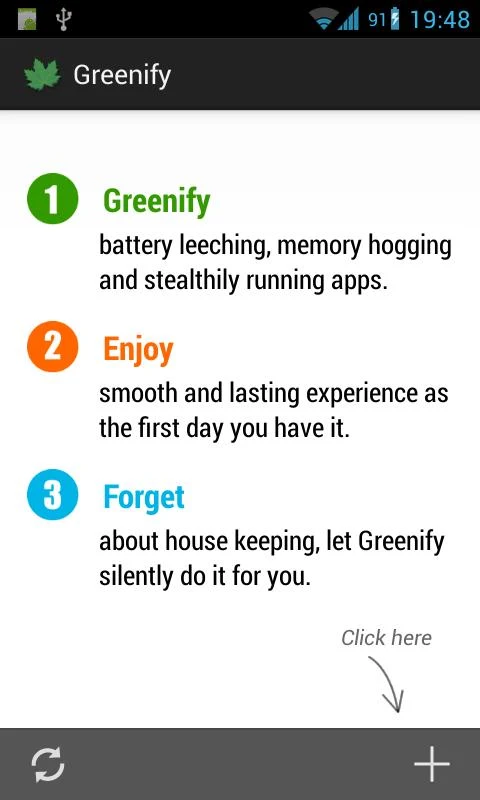
Overview: Never should your phone or tablet become slower and battery hungrier after lots of apps installed. With Greenify, your device can run almost as smoothly and lastingly as it did the first day you had it!

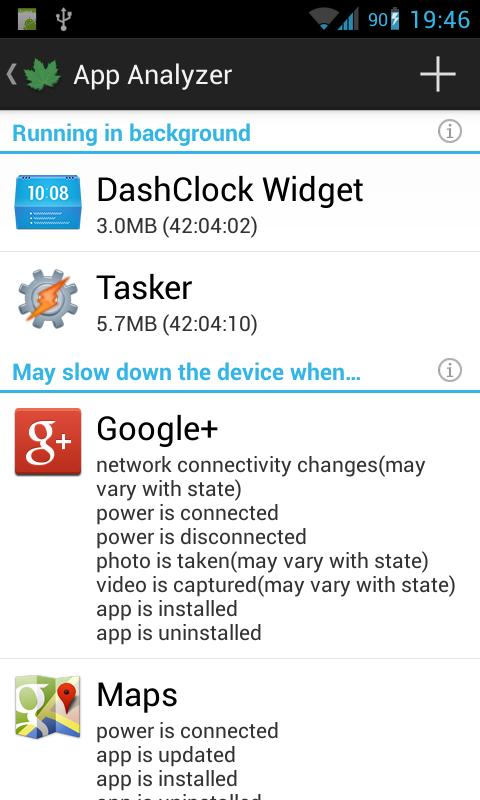
Greenify help you identify and put the misbehaving apps into hibernation when you are not using them, to stop them from lagging your device and leeching the battery, in an unique way! They can do nothing without explicit launch by you or other apps, while still preserving full functionality when running in foreground, similar to iOS apps!

ROOT is required.

NOTICE: PLS DO NOT REPORT BUG AS REVIEW, since I could not contact you for further details. Please report bugs on the XDA thread (http://goo.gl/urHEa), or in G+ community (http://goo.gl/MoszF).

IMPORTANT: Greenifying an app implies that you are aware that all the background functionality of this app will become out of service during the hibernation except when you are using this app:

* Persistent background services

* Broadcast receivers, which respond to global device events, such as network state change, SMS reception.

* Alarms, which activate background task at specific time or interval.

* Widget update. Widget should display but may or may not update because periodic update sometimes involves background task.

* Push message. Push is also disabled since it would activate background task on Android, unlike iOS which just shows up messages to user.

Please DO NOT greenify alarm clock apps, instant messaging apps unless you never rely on them. Please verify the impact of greenified apps on which you heavily rely.

Compared to other popular tools aimed for the similar purpose, Greenify offers the following advantages:

◆ Unlike the "Freeze" feature in "TitaniumBackup Pro" that totally disable the app, you can still use your app as usual, share content with it. No need to freeze & defrozen it.

◆ Unlike "App Quarantine", you can launch greenified apps in any way as usual. No more crafted app-launch widgets, no more manual disabling.

◆ Unlike "Autostarts", you can benefit from almost all of its advantages, without needing to deal with the complexity and risk of obscure app components, and never lose functionality when app is actively running.

◆ Unlike any "XXX Task Killer", your device will never fall into the cat-mouse-game of stealthy-running and aggressive killing, which unnecessarily consumes much battery juice.

Note: Greenify do need a background persistent "Cleaner" service to put the greenified apps back into hibernation when you are not actively using them. It is designed and implemented in extremely lightweight, with an average RAM footprint at 3M in total, and nearly zero CPU and battery consumption.

In case you cannot install from Play store: http://oasisfeng.com/Greenify.apk

=== PERMISSIONS ===

INTERNET: Needed by "Raise Your Voice" program to send back only small amount of anonymous statistics data, without privacy information. You can opt-out at any time.

READ SENSITIVE LOG: To analysis the wake up cause of greenified apps.

GET ACCOUNTS & WRITE SYNC SETTINGS: Control the account sync of apps if its sync task is too frequent.

=== FAQ ===

* Why not support Android 2.x?

* It seems that automatic hibernation is not working.

* Some of my greenified apps (e.g. Google Maps) seems not hibernating.

* I want to greenify system apps!

* De-greenified apps still got no push notification!

……

Read here: http://goo.gl/1F5pY

=== Beta Channel ===

See G+ community board: http://goo.gl/MoszF

=== Translation ===

All translations are open for improvement: http://goo.gl/TQAzx

(Pls register first: http://goo.gl/ofhed)

=== Donation ===

If you love Greenify and want to donate, please consider the "donation version" http://goo.gl/fpz5l to try out fresh experimental features, such as:

* Greenify system apps

* Allow GCM push for hibernated apps

* Detect "who" woke the hibernated apps

What's New

v2.0 beta 4 ~ beta 7

"Hibernate Now" shortcut now works in non-root working mode.

Bugfixes.

Instructions:

1) Install Xposed installer

2) Install Greenify donation 2.3 key

3) Install Greenify

4) Open Xposed installer, select greenify inside modules tab, open framework tab then press install/update & reboot

5) Done!

This app has NO advertisements

More Info:

Code:


https://play.google.com/store/apps/details?id=com.oasisfeng.greenify


Download:

http://www.kingfiles.net/mxcg7dtnz7z...a_7_donate.zip

Mirror:

http://www.tusfiles.net/mlvd0ny2liql

http://ul.to/wq8aezr1

http://unlimitzone.com/it5813u3liqm/...onate.zip.html


Greenify *ROOT* v2.0 Beta 7 + Donation Package v2.3 apk

Greenify *ROOT* v2.0 Beta 5 + Donation Package v2.3 apk

Greenify *ROOT* v2.0 Beta 5 + Donation Package v2.3

Requirements: Android 3.1 and up, Xposed Framework

Overview: Never should your phone or tablet become slower and battery hungrier after lots of apps installed. With Greenify, your device can run almost as smoothly and lastingly as it did the first day you had it!

[break]

Greenify help you identify and put the misbehaving apps into hibernation when you are not using them, to stop them from lagging your device and leeching the battery, in an unique way! They can do nothing without explicit launch by you or other apps, while still preserving full functionality when running in foreground, similar to iOS apps!

ROOT is required.

NOTICE: PLS DO NOT REPORT BUG AS REVIEW, since I could not contact you for further details. Please report bugs on the XDA thread (http://goo.gl/urHEa), or in G+ community (http://goo.gl/MoszF).

IMPORTANT: Greenifying an app implies that you are aware that all the background functionality of this app will become out of service during the hibernation except when you are using this app:

* Persistent background services

* Broadcast receivers, which respond to global device events, such as network state change, SMS reception.

* Alarms, which activate background task at specific time or interval.

* Widget update. Widget should display but may or may not update because periodic update sometimes involves background task.

* Push message. Push is also disabled since it would activate background task on Android, unlike iOS which just shows up messages to user.

Please DO NOT greenify alarm clock apps, instant messaging apps unless you never rely on them. Please verify the impact of greenified apps on which you heavily rely.

Compared to other popular tools aimed for the similar purpose, Greenify offers the following advantages:

◆ Unlike the "Freeze" feature in "TitaniumBackup Pro" that totally disable the app, you can still use your app as usual, share content with it. No need to freeze & defrozen it.

◆ Unlike "App Quarantine", you can launch greenified apps in any way as usual. No more crafted app-launch widgets, no more manual disabling.

◆ Unlike "Autostarts", you can benefit from almost all of its advantages, without needing to deal with the complexity and risk of obscure app components, and never lose functionality when app is actively running.

◆ Unlike any "XXX Task Killer", your device will never fall into the cat-mouse-game of stealthy-running and aggressive killing, which unnecessarily consumes much battery juice.

Note: Greenify do need a background persistent "Cleaner" service to put the greenified apps back into hibernation when you are not actively using them. It is designed and implemented in extremely lightweight, with an average RAM footprint at 3M in total, and nearly zero CPU and battery consumption.

In case you cannot install from Play store: http://oasisfeng.com/Greenify.apk

=== PERMISSIONS ===

INTERNET: Needed by "Raise Your Voice" program to send back only small amount of anonymous statistics data, without privacy information. You can opt-out at any time.

READ SENSITIVE LOG: To analysis the wake up cause of greenified apps.

GET ACCOUNTS & WRITE SYNC SETTINGS: Control the account sync of apps if its sync task is too frequent.

=== FAQ ===

* Why not support Android 2.x?

* It seems that automatic hibernation is not working.

* Some of my greenified apps (e.g. Google Maps) seems not hibernating.

* I want to greenify system apps!

* De-greenified apps still got no push notification!

……

Read here: http://goo.gl/1F5pY

=== Beta Channel ===

See G+ community board: http://goo.gl/MoszF

=== Translation ===

All translations are open for improvement: http://goo.gl/TQAzx

(Pls register first: http://goo.gl/ofhed)

=== Donation ===

If you love Greenify and want to donate, please consider the "donation version" http://goo.gl/fpz5l to try out fresh experimental features, such as:

* Greenify system apps

* Allow GCM push for hibernated apps

* Detect "who" woke the hibernated apps

What's New

v2.0 beta 4 & beta 5

"Hibernate Now" shortcut now works in non-root working mode.

Bugfixes.

Instructions:

1) Install Xposed installer

2) Install Greenify donation 2.3 key

3) Install Greenify

4) Open Xposed installer, select greenify inside modules tab, open framework tab then press install/update & reboot

5) Done!

This app has NO advertisements

More Info:

Code:


https://play.google.com/store/apps/details?id=com.oasisfeng.greenify


Download:

http://www.tusfiles.net/boq8lt1fwjpc

Mirror:

http://unlimitzone.com/ixun7d5fjh5b/...eta_5.zip.html

http://hugefiles.net/83irvuga0dha


Greenify *ROOT* v2.0 Beta 5 + Donation Package v2.3 apk

Greenify *ROOT* v2.0 Beta 3 + Donation Package v2.3 apk

Greenify *ROOT* v2.0 Beta 3 + Donation Package v2.3

Requirements: Android 3.1 and up, Xposed Framework

Overview: Never should your phone or tablet become slower and battery hungrier after lots of apps installed. With Greenify, your device can run almost as smoothly and lastingly as it did the first day you had it!

Greenify help you identify and put the misbehaving apps into hibernation when you are not using them, to stop them from lagging your device and leeching the battery, in an unique way! They can do nothing without explicit launch by you or other apps, while still preserving full functionality when running in foreground, similar to iOS apps!

ROOT is required.

NOTICE: PLS DO NOT REPORT BUG AS REVIEW, since I could not contact you for further details. Please report bugs on the XDA thread (http://goo.gl/urHEa), or in G+ community (http://goo.gl/MoszF).

IMPORTANT: Greenifying an app implies that you are aware that all the background functionality of this app will become out of service during the hibernation except when you are using this app:

* Persistent background services

* Broadcast receivers, which respond to global device events, such as network state change, SMS reception.

* Alarms, which activate background task at specific time or interval.

* Widget update. Widget should display but may or may not update because periodic update sometimes involves background task.

* Push message. Push is also disabled since it would activate background task on Android, unlike iOS which just shows up messages to user.

Please DO NOT greenify alarm clock apps, instant messaging apps unless you never rely on them. Please verify the impact of greenified apps on which you heavily rely.

Compared to other popular tools aimed for the similar purpose, Greenify offers the following advantages:

◆ Unlike the "Freeze" feature in "TitaniumBackup Pro" that totally disable the app, you can still use your app as usual, share content with it. No need to freeze & defrozen it.

◆ Unlike "App Quarantine", you can launch greenified apps in any way as usual. No more crafted app-launch widgets, no more manual disabling.

◆ Unlike "Autostarts", you can benefit from almost all of its advantages, without needing to deal with the complexity and risk of obscure app components, and never lose functionality when app is actively running.

◆ Unlike any "XXX Task Killer", your device will never fall into the cat-mouse-game of stealthy-running and aggressive killing, which unnecessarily consumes much battery juice.

Note: Greenify do need a background persistent "Cleaner" service to put the greenified apps back into hibernation when you are not actively using them. It is designed and implemented in extremely lightweight, with an average RAM footprint at 3M in total, and nearly zero CPU and battery consumption.

In case you cannot install from Play store: http://oasisfeng.com/Greenify.apk

=== PERMISSIONS ===

INTERNET: Needed by "Raise Your Voice" program to send back only small amount of anonymous statistics data, without privacy information. You can opt-out at any time.

READ SENSITIVE LOG: To analysis the wake up cause of greenified apps.

GET ACCOUNTS & WRITE SYNC SETTINGS: Control the account sync of apps if its sync task is too frequent.

=== FAQ ===

* Why not support Android 2.x?

* It seems that automatic hibernation is not working.

* Some of my greenified apps (e.g. Google Maps) seems not hibernating.

* I want to greenify system apps!

* De-greenified apps still got no push notification!

……

Read here: http://goo.gl/1F5pY

=== Beta Channel ===

See G+ community board: http://goo.gl/MoszF

=== Translation ===

All translations are open for improvement: http://goo.gl/TQAzx

(Pls register first: http://goo.gl/ofhed)

=== Donation ===

If you love Greenify and want to donate, please consider the "donation version" http://goo.gl/fpz5l to try out fresh experimental features, such as:

* Greenify system apps

* Allow GCM push for hibernated apps

* Detect "who" woke the hibernated apps

What's New

v2.0 beta 3 (beta channel)

Greenify now works on non-root devices! Try out the non-root working mode, without automatic hibernation.

Instructions:

1) Install Xposed installer

2) Install Greenify donation 2.3 key

3) Install Greenify

4) Open Xposed installer, select greenify inside modules tab, open framework tab then press install/update & reboot

Done!

This app has NO advertisements

More Info:

Code:


https://play.google.com/store/apps/details?id=com.oasisfeng.greenify


Download:

http://www.kingfiles.net/rhll6chgb3w...a_3_donate.zip

Mirror:

http://ul.to/gl8p47v2

http://unlimitzone.com/auaa8vhr32j5/...onate.zip.html

http://www.tusfiles.net/mwcut4kqyzbd


Greenify *ROOT* v2.0 Beta 3 + Donation Package v2.3 apk

Greenify *ROOT* v2.0 Beta 2 + Donation Package v2.3 apk

Greenify *ROOT* v2.0 Beta 2 + Donation Package v2.3

Requirements: Android 3.1 and up, Xposed Framework

Overview: Never should your phone or tablet become slower and battery hungrier after lots of apps installed. With Greenify, your device can run almost as smoothly and lastingly as it did the first day you had it!

Greenify help you identify and put the misbehaving apps into hibernation when you are not using them, to stop them from lagging your device and leeching the battery, in an unique way! They can do nothing without explicit launch by you or other apps, while still preserving full functionality when running in foreground, similar to iOS apps!

ROOT is required.

NOTICE: PLS DO NOT REPORT BUG AS REVIEW, since I could not contact you for further details. Please report bugs on the XDA thread (http://goo.gl/urHEa), or in G+ community (http://goo.gl/MoszF).

IMPORTANT: Greenifying an app implies that you are aware that all the background functionality of this app will become out of service during the hibernation except when you are using this app:

* Persistent background services

* Broadcast receivers, which respond to global device events, such as network state change, SMS reception.

* Alarms, which activate background task at specific time or interval.

* Widget update. Widget should display but may or may not update because periodic update sometimes involves background task.

* Push message. Push is also disabled since it would activate background task on Android, unlike iOS which just shows up messages to user.

Please DO NOT greenify alarm clock apps, instant messaging apps unless you never rely on them. Please verify the impact of greenified apps on which you heavily rely.

Compared to other popular tools aimed for the similar purpose, Greenify offers the following advantages:

◆ Unlike the "Freeze" feature in "TitaniumBackup Pro" that totally disable the app, you can still use your app as usual, share content with it. No need to freeze & defrozen it.

◆ Unlike "App Quarantine", you can launch greenified apps in any way as usual. No more crafted app-launch widgets, no more manual disabling.

◆ Unlike "Autostarts", you can benefit from almost all of its advantages, without needing to deal with the complexity and risk of obscure app components, and never lose functionality when app is actively running.

◆ Unlike any "XXX Task Killer", your device will never fall into the cat-mouse-game of stealthy-running and aggressive killing, which unnecessarily consumes much battery juice.

Note: Greenify do need a background persistent "Cleaner" service to put the greenified apps back into hibernation when you are not actively using them. It is designed and implemented in extremely lightweight, with an average RAM footprint at 3M in total, and nearly zero CPU and battery consumption.

In case you cannot install from Play store: http://oasisfeng.com/Greenify.apk

=== PERMISSIONS ===

INTERNET: Needed by "Raise Your Voice" program to send back only small amount of anonymous statistics data, without privacy information. You can opt-out at any time.

READ SENSITIVE LOG: To analysis the wake up cause of greenified apps.

GET ACCOUNTS & WRITE SYNC SETTINGS: Control the account sync of apps if its sync task is too frequent.

=== FAQ ===

* Why not support Android 2.x?

* It seems that automatic hibernation is not working.

* Some of my greenified apps (e.g. Google Maps) seems not hibernating.

* I want to greenify system apps!

* De-greenified apps still got no push notification!

……

Read here: http://goo.gl/1F5pY

=== Beta Channel ===

See G+ community board: http://goo.gl/MoszF

=== Translation ===

All translations are open for improvement: http://goo.gl/TQAzx

(Pls register first: http://goo.gl/ofhed)

=== Donation ===

If you love Greenify and want to donate, please consider the "donation version" http://goo.gl/fpz5l to try out fresh experimental features, such as:

* Greenify system apps

* Allow GCM push for hibernated apps

* Detect "who" woke the hibernated apps

What's New

v1.97

NOTE: Try re-installing donation package from Google Play if not work after update.

Now compatible with Android KitKat with ART runtime.

4 experimental features graduate to free version.

NEW: Cut off wake-up source of greenified apps, with the new scissors action icon. (only available if Wake-up Tracker is enabled)

v1.99 RC1 (beta channel)

Most receivers are no longer scanned in middle-to-high-end devices.

New setup guide for experimental features.

Instructions:

1) Install Xposed installer

2) Install Greenify donation 2.3 key

3) Install Greenify

4) Open Xposed installer, select greenify inside modules tab, open framework tab then press install/update & reboot

Done!

This app has NO advertisements

More Info:

Code:


https://play.google.com/store/apps/details?id=com.oasisfeng.greenify


Download:

http://www.kingfiles.net/u7j49p1xlml...a_2_donate.zip

Mirror:

http://www.tusfiles.net/8yaa490dhv6s

http://ul.to/zqa9duww

http://unlimitzone.com/d2b2qhhzuxk7/...onate.zip.html


Greenify *ROOT* v2.0 Beta 2 + Donation Package v2.3 apk