File Expert HD with Clouds Pro v2.0.9 apk

File Expert HD with Clouds Pro v2.0.9

Requirements: 2.2 and up

Overview: File Expert is an ultimate app for managing your files on your mobile phones, tablets, personal computers and cloud storage servers.
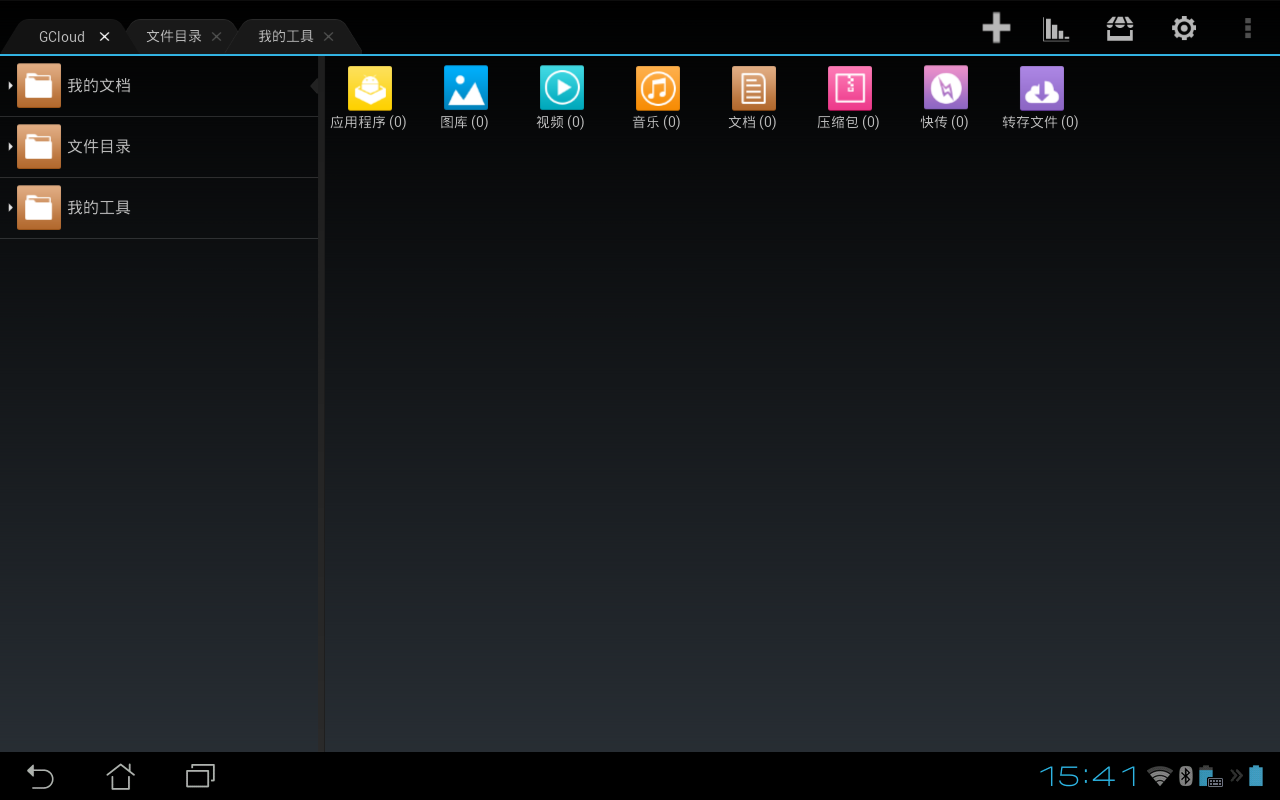
File Expert helps you easily share files with friends over Wi-Fi.

File Expert currently supports 19 languages: English, Simplified Chinese, Traditional Chinese, Korean, Russian, Japanese, Hebrew, Italian, Spanish, Portuguese, Hungarian, German, Turkish, Polish, French, Romanian, Arabic, Czech and Dutch. Anyone would like to help with translation please send us an email.

File Expert gets millions of downloads worldwide!

File Expert should be your daily tool and there's NO any ADs!

Key Features:

* Access to your Gallery, Video, Music, E-Books, Documents, Apps, Plug-in, APK files, Zip Files, Favorites

* Access to your Phone SD card, External SD card and Phone Internal Storage on your start page

* Useful tools like Web PC Suite, Share My Contents, Network Clients, One Touch Clean, Theme Manager and more

* Powerful File Manager- supports all basic file operations like Copy, Cut, Paste, Delete, Create, Sort, Rename, Send, Details, Favorites, Hide, Create Shortcut. Batch operation and more!

* Search SD card, perform operations on search results

* Web PC Suite- Featured HTTP Sharing in old versions. When open service, turn your mobile phone into a HTTP Server and visit it wirelessly on PC or tablet in a Windows style interface. Double click on APK file to install it to your phone

* FTP Sharing - When open service, turn your mobile phone into a FTP Server. Share & manage your files on other FTP Clients

* NFC Tapping & Wi-Fi Direct Support-You can use NFC or Wi-Fi Direct enabled phone to transfer files and apps. Long press on a file and choose Send Files.

* Wi-Fi Send- Directly send files via Wi-Fi between File Expert powered phones. Long press on a file and choose Send Files.

* DLNA Sharing - Turn your smart phone to a full-featured DLNA media server! Access your media files on your Windows Media Player became so easy!

* Access your host computer from phone-Samba Client, FTP Client, SFTP Client, FTP Client, WEBDAV Client, Bluetooth Client

* Root access to system folders and files like Root Explorer. Remount /system to read write. Requires rooted phone. Please note it’s a paid feature.

* Cloud Storage - Use one app to access various cloud services! Support Google Drive, Dropbox, Box.net, SkyDrive, SugarSync, Ubuntu One and more!

* Bluetooth - Full-featured Bluetooth capabilities include OBEX FTP, OPP

* App Manager - Uninstall/Backup apps. Click to install apps. Support silent operations if on rooted devices

* Archive manager - Create and decompress ZIP archive, Decompress RAR. You can view your ZIP/RAR/GZIP/TAR/TGZ/BZ file just like accessing a folder and directly decompress unique files and folders

* Thumbnails - view thumbnails

* Image Viewer - supports both local and remote folder

* Powerful Text Editor

* Help your player to play media that store on SMB share (your player needs to support HTTP streaming). FE is the ONLY file manager that can directly open some types of videos over SMB network

* Theme support - Choose alternative themes that you love!

* File Picker - Let FE to help you open files

* Many other very useful features are waiting for you to discover!

If you’d like to enjoy more exclusive features in File Expert please consider purchasing File Expert Pro Key Plugin in Google Play. Pro Key needs to work with File Expert.

Exclusive features included:

1.Root Explorer

2.Memory Manager

3.Safebox

4.Silent Uninstall

5.Silent Install

What's New

V 2.0.9 Change Log

1. Sort video files by saved folders

2. Developed new method to sort APK files

3. Support converting images into PDF files on Android 4.4+

4. Fix license files download failure issue under some circumstance

5. Fix minor issues on music categories

This app has no advertisements

More Info:

Code:


https://play.google.com/store/apps/details?id=xcxin.fehd


Download Instructions: Unlocked Pro features in File Expert HD! No Pro Key Plugin is required! If you have installed Pro Key Plugin, please remove it Plugin before installing this patched version.

http://www.kingfiles.net/1p670sm9rhq...pert_2.0.9.zip

Mirror:

http://ul.to/748rd0zp

http://unlimitzone.com/7oc6p38s76q7/...2.0.9.zip.html


File Expert HD with Clouds Pro v2.0.9 apk
File Expert with Clouds Pro v6.0.8 Android apk

File Expert with Clouds Pro v6.0.8

Requirements: Android v2.2+

Overview: File Expert is an ultimate app for managing your files on your mobile phones, tablets, personal computers and cloud storage servers.

File Expert is an ultimate app for managing your files on your mobile phones, tablets, personal computers and cloud storage servers. One of the most popular file managers on Android!

The only difference between File Expert and File Expert HD is that the former is designed for phone, and the latter is optimized for tablet.

Our design principles and answers to those requirements:

* Help users to locate their target files quickly & easily

File Expert organize files into different pre-defined categories. Those categories are put in the first tab of the app. Users even could create their own tags to mark files for quick access. We also have a powerful file search engine built into the app. We believe that in most cases users should find their targets less than a minute!

* Transfer files to others devices via all kinds of connections

You can send files using Bluetooth, WiFi (include WiFi-Direct), NFC; You can use File Expert to access FTP, SFTP and FTPS servers; You can also turn your device into Web or FTP servers to accept files; You can send files to your favorite clouds; You can send files by using our own service GCloud

* A clean, easy-to-learn UI interface, even a newbie user could start to use it in just one minute without having read any docs

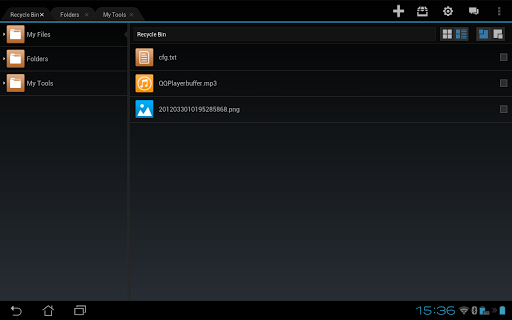
File Expert has a creative tab based interface. All competitive apps don't have this technique. A Tab based interface will allow users to switch work folders quickly and extremely easy to learn - just imagine how a web browser works and you will know the benefits in using tabs

Key Features:

* Access to your Gallery, Video, Music, E-Books, Documents, Apps, Plug-in, APK files, Zip Files, Favorites

* Access to your Phone SD card, External SD card and Phone Internal Storage on your start page

* Powerful File Manager- supports all basic file operations like Copy, Cut, Paste, Delete, Create, Sort, Rename, Send, Details, Favorites, Hide, Create Shortcut. Batch operation and more

* Multi-Tab File Manager, the one and the only one support tabs

* GCloud - Free cloud service with powerful features

* Tagging- Mark your files with user-defined tags

* Recyle Bin

* Ultra fast & resumable file downloader

* Web PC Suite- Access your device from your PC browser

* Share My Contents, Network Clients, One Touch Clean

* Switchable full Holo based themes include Light, Black & Mixed styles

* Search SD card, perform operations on search results

* Web PC Suite- Featured HTTP Sharing in old versions. When open service, turn your mobile phone into a HTTP Server and visit it wirelessly on PC or tablet in a Windows style interface. Double click on APK file to install it to your phone

* FTP Sharing - When open service, turn your mobile phone into a FTP Server. Share & manage your files on other FTP Clients

* Wi-Fi Send- Directly send files via Wi-Fi between File Expert powered phones.

* DLNA Sharing - Turn your smart phone to a full-featured DLNA media server! Access your media files on your Windows Media Player became so easy!

* Access your host computer from phone-Samba Client, FTP Client, SFTP Client, FTP Client, Bluetooth Client

* Root access to system folders and files like Root Explorer. Remount /system to read write. Requires rooted phone. Please note it’s a paid feature.

* Cloud Storage - Use one app to access various cloud services! Support Google Drive, Dropbox, Box.net, SkyDrive, SugarSync, Ubuntu One and more!

* Bluetooth - Full-featured Bluetooth capabilities include OBEX FTP, OPP

* App Manager - Uninstall/Backup apps. Backup your app & its data to GCloud

* Archive manager - Create and decompress ZIP archive, Decompress RAR. You can view your ZIP/RAR/GZIP/TAR/TGZ/BZ file just like accessing a folder and directly decompress unique files and folders

* Thumbnails - view thumbnails

* Image Viewer - supports both local and remote folder

* Powerful Text Editor

* Help your player to play media that store on SMB share (your player needs to support HTTP streaming).

Recent changes:

V 6.0.8 Change Log

1 Enhanced Web PC Suite performance, and now support logging on mobile devices

2 Added "Find password" feature on login page

3 Added Sorting feature in Music

4 Added set music as ringtone feature

5 Fixed picture sorting issue in Gallery

Visit Website

Less description »

Note: all premium features available. no key file needed.

This app has NO advertisements

More Info:

https://play.google.com/store/apps/d...cxin.filexpert

Download:

http://www.tusfiles.net/eo6cchrd98ky


File Expert with Clouds Pro v6.0.8 Android apk

File Expert HD with Clouds Pro v2.0.8 Android apk

File Expert HD with Clouds Pro v2.0.8

Requirements: Android v2.2+

Overview: File Expert HD is an ultimate app for managing your files on your mobile phones or tablets. File manager&explorer, app manager, Wi-Fi file transfer, cloud storage integrater-all in one!

[img][/img]

About File Expert HD with Clouds

File Expert is an ultimate app for managing your files on your mobile phones, tablets, personal computers and cloud storage servers. One of the most popular file managers on Android!

The only difference between File Expert and File Expert HD is that the former if designed for phone, and the latter is optimized for tablet.

Our design principles and answers to those requirements:

* Help users to locate their target files quickly & easily

File Expert organize files into different predefined categories. Those categories are put in the first tab of the app. Users even could create their own tags to mark files for quick access. We also have a powerful file search engine built into the app. We believe that in most cases users should find their targets less than a minute!

* Transfer files to others devices via all kinds of connections

You can send files using Bluetooth, WiFi (include WiFi-Direct), NFC; You can use File Expert to access FTP, SFTP and FTPS servers; You can also turn your device into Web or FTP servers to accept files; You can send files to your favorite clouds; You can send files by using our own service GCloud

* A clean, easy-to-learn UI interface, even a newbie user could start to use it in just one minute without having read any docs

File Expert has a creative tab based interface. All competitive apps don't have this technique. A Tab based interface will allow users to switch work folders quickly and extremely easy to learn - just imagine how a web browser works and you will know the benefits in using tabs

Key Features:

* Access to your Gallery, Video, Music, E-Books, Documents, Apps, Plug-in, APK files, Zip Files, Favorites

* Access to your Phone SD card, External SD card and Phone Internal Storage on your start page

* Powerful File Manager- supports all basic file operations like Copy, Cut, Paste, Delete, Create, Sort, Rename, Send, Details, Favorites, Hide, Create Shortcut. Batch operation and more

* Multi-Tab File Manager, the one and the only one support tabs

* GCloud - Free cloud service with powerful features

* Tagging- Mark your files with user-defined tags

* Recycle Bin

* Ultra fast & resumable file downloader

* Web PC Suite- Access your device from your PC browser

* Share My Contents, Network Clients, One Touch Clean

* Switchable full Holo based themes include Light, Black & Mixed styles

* Search SD card, perform operations on search results

* Web PC Suite- Featured HTTP Sharing in old versions. When open service, turn your mobile phone into a HTTP Server and visit it wirelessly on PC or tablet in a Windows style interface. Double click on APK file to install it to your phone

* FTP Sharing - When open service, turn your mobile phone into a FTP Server. Share & manage your files on other FTP Clients

* Wi-Fi Send- Directly send files via Wi-Fi between File Expert powered phones. f000h

* DLNA Sharing - Turn your smart phone to a full-featured DLNA media server! Access your media files on your Windows Media Player became so easy!

* Access your host computer from phone-Samba Client, FTP Client, SFTP Client, FTP Client, Bluetooth Client

* Root access to system folders and files like Root Explorer. Remount /system to read write. Requires rooted phone. Please note it’s a paid feature.

* Cloud Storage - Use one app to access various cloud services! Support Google Drive, Dropbox, Box.net, SkyDrive, SugarSync, Ubuntu One and more!

* Bluetooth - Full-featured Bluetooth capabilities include OBEX FTP, OPP

* App Manager - Uninstall/Backup apps. Backup your app & its data to GCloud

* Archive manager - Create and decompress ZIP archive, Decompress RAR. You can view your ZIP/RAR/GZIP/TAR/TGZ/BZ file just like accessing a folder and directly decompress unique files and folders

* Thumbnails - view thumbnails

* Image Viewer - supports both local and remote folder

* Powerful Text Editor

* Help your player to play media that store on SMB share (your player needs to support HTTP streaming).

Recent changes:

V 2.0.8 Change Log

1 Enhanced Web PC Suite performance, and now support logging on mobile devices

2 Added "Find password" feature on login page

3 Added Sorting feature in Music

4 Added set music as ringtone feature

5 Fixed picture sorting issue in Gallery

Visit Website

Less description »

Note: all premium features available. no key file needed.

This app has NO advertisements

More Info:

https://play.google.com/store/apps/d...?id=xcxin.fehd

Download :

http://www.tusfiles.net/trqfn3bemopq


File Expert HD with Clouds Pro v2.0.8 Android apk

ASTRO File Manager with Clouds Pro v4.4.576 apk

ASTRO File Manager with Clouds Pro v4.4.576

Requirements: Android 2.2+

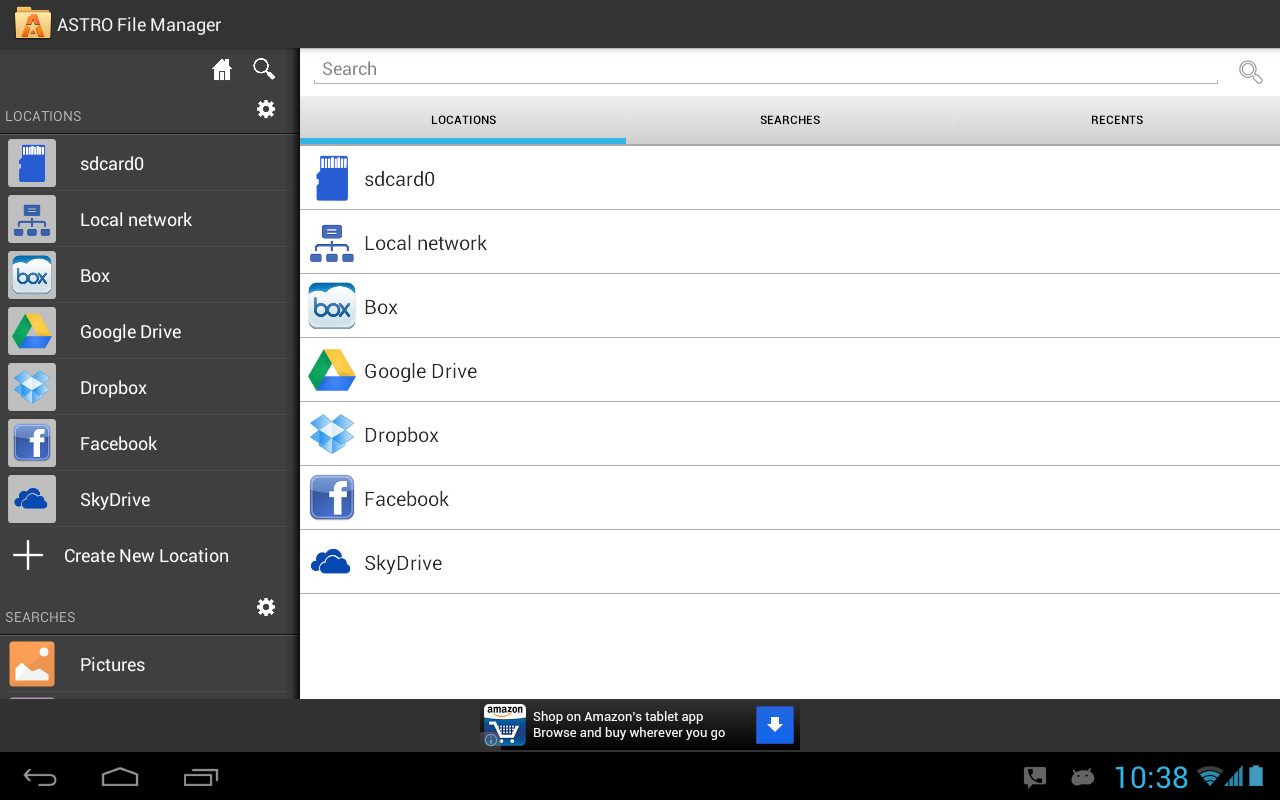
Overview: ASTRO Cloud & File Manager has over 70 million downloads worldwide! Organize, view and retrieve all of your pictures, music, videos, documents or other files regardless of where they are located:

* Phone * Tablet * Clouds (Facebook, Dropbox, Google Drive, Box or SkyDrive) * PC, Mac, Linux (via built in networking)

Click here to ask to join our Beta Test Google + Group: http://plus.google.com/b/10309521602...76630475861309

Ever try to find a file but can't remember where you put it? ASTRO has the most robust SEARCH technology in the mobile world, giving you the ability to do anything from broad searches across all locations mentioned above for types of content (pics, music, videos, etc.) to very specific searches based on file name, size, location, etc. And, with ASTRO's unique "CLOUD HOPPING (TM)", you can move files from one cloud to another in a single copy or move/paste - without having to download them first before sending to your destination cloud!

ASTRO now has support for Leef Bridge, a powerful, yet simple, innovative USB flash drive that allows users to easily transfer files to other devices (Android phones, tablets, Macs and PCs) without the need for cables, cloud services, Wi-Fi or any type of data connection. Leef Bridge features a micro USB connector and full-size USB connector that access the same memory so users can share content, photos, videos, music and documents to and from any compatible device. Visit http://www.2leef.com/bridge for more information and a list of compatible devices.

What are some of the benefits to ASTRO’s new Indexing functionality:

- After your first search, results are almost instantaneous across all indexed locations (mobile device, clouds, networked locations)

- If you are offline, you can still search for files that have been indexed.

- Eliminates redundant network calls in ASTRO, making some operations faster.

- Better file browsing experience in areas with spotty or slow network coverage.

How does ASTRO’s new Indexing functionality work?

- As you browse through directories on your device, clouds or networked locations, ASTRO begins indexing your files in the background in order to speed up future searches you perform.

- It will also build your index whenever you do a search. It will build the index for your internal and external sd cards very quickly (typically under 15-20 seconds). Clouds or networked locations will take longer and also depends on the number of files in those locations.

- You can also choose to proactively index any of your other locations like clouds (Box, Dropbox, Google Drive, SkyDrive) and networked locations by doing a search on those locations or by going to Settings, Search index and click Rebuild index. Keep in mind if you choose to index a 500GB server you have at home, it may take a while. :)

- You can go to Settings, Set Default Search Locations to set your default locations.

- You can go to Settings, Search index and clear your index at any time as well.

- SWIPE SCREEN RIGHT to get to Clouds, Network Locations or Saved Searches fast

- SWIPE SCREEN LEFT to get to Tools (App Backup, Task Killer, SD Card Usage), Settings and Help

It gives you the ability to stop processes that burn battery life (Task Killer) and backup your apps (App Backup) in case you lose or change phones.

Features include: file management, content management, multi-cloud, cloud content management with Facebook, Google Drive, Dropbox, Box and SkyDrive, android file browser, file and/or app backup, image and text viewers, networking, Bluetooth, SFTP, Zip, downloader, thumbnails, search files, application manager, task manager, attachments...

Quick Start Guide, FAQ's and Documentation: http://support.metago.net.

ASTRO supports 11 languages including: English, French, Spanish, Italian, German, Japanese, Korean, Traditional Chinese, Simplified Chinese, Russian & Portuguese.

What's New

4.4.564

- Support for x86 devices

- updated to new Box API

This app has NO advertisements

More Info:

Code:


https://play.google.com/store/apps/details?id=com.metago.astro


Download Instructions:

http://www.kingfiles.net/nnbzpgtfbw6....4.576.apk.zip

Mirror:

http://ul.to/i8ju451j

http://unlimitzone.com/dgxnutvzendb/...6.apk.zip.html

http://www.tusfiles.net/gkaybikxpuul


ASTRO File Manager with Clouds Pro v4.4.576 apk

ASTRO File Manager with Clouds PRO v4.4.574 Android apk

ASTRO File Manager with Clouds PRO v4.4.574

Requirements: Varies with device

Overview: ASTRO File Manager has over 13 million downloads on the Android Market and allows you to easily manage all of your files on your phone or tablet. Pictures, music, documents, videos... ASTRO is in most Top Ten Android App lists and has been recommended in books like Amazing Android Apps. DOWNLOAD NOW and join the ASTRO family.

ASTRO File Manager has over 45 million downloads on the Android Market and 350,000 reviews!

Organize and manage your files and content such as pictures, music, videos or documents on your phone, tablet, PC (via networking) or on cloud services like Facebook Photo Albums, Dropbox, Google Drive, SkyDrive or Box. It's like Windows Explorer or Mac’s Finder with connections to the most popular clouds.

ASTRO now has support for Leef Bridge, a powerful, yet simple, innovative USB flash drive that allows users to easily transfer files to other devices (Android phones, tablets, Macs and PCs) without the need for cables, cloud services, Wi-Fi or any type of data connection. Leef Bridge features a micro USB connector and full-size USB connector that access the same memory so users can share content, photos, videos, music and documents to and from any compatible device. Visit Product for more information and a list of compatible devices.

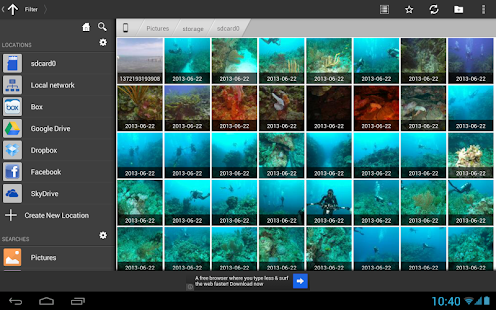
It’s picture view works better than standard galleries and ASTRO is in dozens of Top Ten Android App lists and has been recommended in books. DOWNLOAD NOW.

RECENT CHANGES:

** Click "My Files" for file management (copy/move/delete/etc) **

* NEW: New Picture Gallery

* NEW: Image Viewer enhancements including rotate picture

* SkyDrive, Google Drive, Dropbox, Box & Facebook integration

- SWIPE SCREEN RIGHT to get to Clouds, Network Locations or Saved Searches fast

- SWIPE SCREEN LEFT to get to Tools (App Backup, Task Killer, SD Card Usage), Settings and Help

It also gives you the ability to stop processes that burn battery life and backup your apps in case you lose or change phones.

Features include: file management, cloud storage with Facebook, Google Drive, Dropbox, Box and SkyDrive, android file browser, file and/or app backup, image and text viewers, networking, Bluetooth, SFTP, Zip/ Tar, downloader, thumbnails, search files, application manager, task manager, attachments and more…

Please visit our new support portal for a Quick Start Guide, FAQ's and Documentation. http://support.metago.net.

Screen Searches tab

ASTRO currently supports 11 languages including: English, French, Spanish, Italian, German, Japanese, Korean, Traditional Chinese, Simplified Chinese, Russian & Portuguese.

Recent changes:

4.4.564

- Support for x86 devices

- updated to new Box API

4.4-543 - fixed several small bugs on several different platforms

4.4-541

- Improved memory usage

- Improved Skydrive support

4.4-528

- Indexed Searches. Search are now automatically indexed which greatly decreases search times for clouds and networks. Read more about how indexing works in the Description.

Visit Website

Less description »

Note: all premium features available. no need key file.

PRO features Unlocked

This app has NO advertisements

More Info:

https://play.google.com/store/apps/d...m.metago.astro

Download:

http://ul.to/l3eghno2

http://rapidgator.net/file/f09766fd4...954a3f49dd97a/


ASTRO File Manager with Clouds PRO v4.4.574 Android apk